Losing access to your Google account isn’t just an inconvenience. It’s a digital panic.
You’re locked out. The key is in your pocket, and your pocket is in another zip code. If you run your life on Gmail or Drive, this feels less like a minor glitch and more like a modern Kafka nightmare. Google knows this. They also know that relying on a single passkey on a single phone is risky business.
Enter the selfie video.
It sounds like something from a spy movie. In reality, it’s just a new authentication layer designed to act as a spare key. Think of it as that old coin you hid under the welcome mat, but one that doesn’t get lost in the laundry.
Setting Up Your Digital Spare Key
The rollout is happening now. Globally. For most accounts.
If you haven’t seen it yet, keep looking. If you have, setting it up is stupidly easy. I timed mine. Under five minutes. No PhD required.
Here’s the path:
1. Open Google Account settings.
2. Go to Security.
3. Look under How you sign in to Google.
4. Click the new Selfie option at the bottom of the list.
It’s straightforward because it has to be. If the barrier is too high, nobody uses it. And when you need it most—shivering in a hotel room with a dead phone—friction is your enemy.
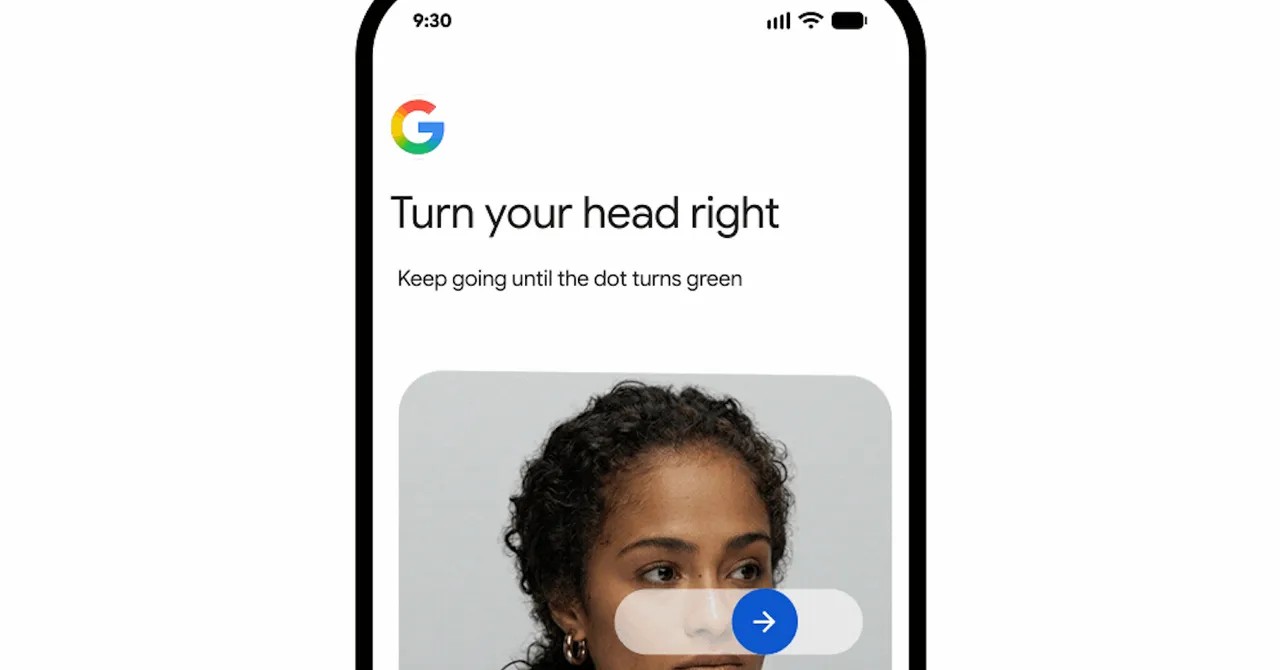
The setup asks for basic cooperation. Face visible. Eyes on camera. Good lighting. No random roommates or family photos in the background cluttering the frame. Google’s algorithm wants to see you. Nothing else.
I lifted my chin. Looked at the ceiling. Stared into the lens. Done. Verified. Stored.
Is It Safe from Deepfakes?
Security people are nervous about deepfakes. They should be. But Google isn’t just waving a selfie in front of the camera for a static image match.
This involves liveness detection.
“You’re moving,” Claire Forszt, a product manager for Google, explains. “It’s not a photo. It’s a video.”
There are safeguards. If the system detects a risk—maybe your account is being accessed from a suspicious IP in another hemisphere while you’re supposedly in your pajamas in Ohio—the selfie might not be enough. Google evaluates the whole context. High risk? You’ll still need those backup codes or recovery contacts.
Forszt is clear on this: “We always recommend that you set up more than to one option.”
The selfie isn’t a magic bullet. It’s a tool. A specialized one for when your primary device vanishes.
The Opt-In Choice Matters
Here’s where it gets interesting. And where it differs from recent industry mistakes.
When you record the video, you are asked a question: Do you want Google to use this data to train its facial recognition models?
It’s an optional checkbox. Allow Google to use this… to develop and improve… verification methods.
You can say yes. You can say no. If you say no, your video is used only for verifying your account. It’s not fed into a global pool for training AI avatars.
You can change this later in privacy settings under “Improve Google services.” The control remains yours.
Compare this to Meta’s recent blunder with Instagram AI remixes. In July, Meta auto-opted adults into having their photos used for generative AI unless they manually dug through settings to opt out. It backfired hard. Users were furious. Meta pulled the feature three days later.
Google is walking a tighter rope. By making the data usage opt-in, they acknowledge the privacy concerns. Not everyone wants their biometric data used to make Google smarter. Some people just want to get into their email.
Why This Actually Helps (Most People)
I get locked out of accounts. I admit it. It’s embarrassing.
Usually, it involves a text message I can’t receive because the SIM card is locked to a phone I don’t have. Or a recovery email I can’t access because the password was changed. The cycle is endless.
Having a selfie video as a backup feels like relief. Real relief.
It’s not about replacing your phone. It’s about having a safety net when the net tears.
Is it perfect? No. Biometric tech has quirks. If I had just come from a run, with sweaty skin and messy hair, would the AI recognize me? Maybe. Maybe not. That’s the risk of automated systems. But it’s better than nothing.
And unlike Meta’s forced opt-in disaster, Google is asking for permission. They’re treating your face like data, which it is, but also like property, which it also is.
So, will I keep it on? Yes.
Not because I trust Google with everything. But because I hate being locked out more than I hate trusting the system.
There’s a weird comfort in knowing that somewhere on Google’s servers, a short clip of me looking at a ceiling is waiting to prove who I am. It’s impersonal. It’s technical. But when you’re desperate? You take what you can get.